
Featured • Full Stack API Client
Anvaya Lab
Full Stack API Client — a project by Himanshu Singh Dangi, Frontend & Full Stack Developer.
About this project
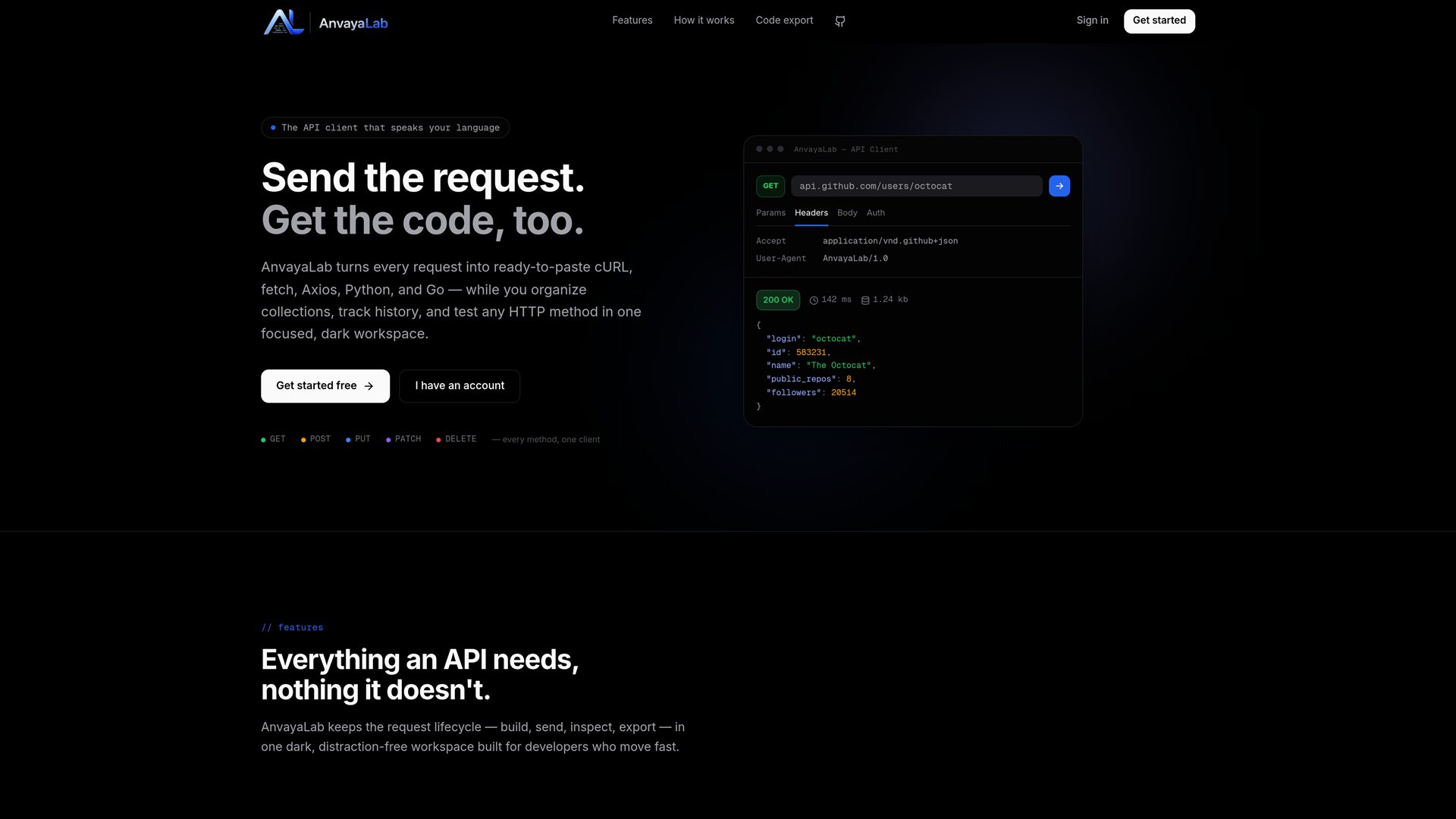
Anvaya Lab is a secure, sandbox-first developer API testing client designed to facilitate request composition, execution, and environment variables management. Built as a high-performance web alternative to traditional desktop API clients, it provides complete local isolation of variables alongside dual-execution routing.
1. Core Architecture & Features
Dual Request Execution Agents
Anvaya Lab supports two modes of request execution to handle different network environments:
- Server-Side Proxy: Routes sandbox API requests through a secure server-side proxy endpoint (
/api/requests/run). This completely bypasses browser-level CORS policies, shields authentication headers, and keeps request signatures secure. - Browser Direct: Executes HTTP calls directly from the user's browser, permitting connections to localhost, private networks, or local subnet nodes that are inaccessible to external servers.
Sandbox-First Environments & Local Variables
To guarantee credentials security, Anvaya Lab enforces strict client-side isolation:
- Zero Database Secrets: Custom environment profiles, key-value variables, and credentials are saved exclusively within the browser's sandbox storage (
localStorage), segmented cleanly by active Workspace ID. - Dynamic Client-Side Resolution: Request payloads (URLs, headers, query parameters, authentication fields, and bodies) are resolved using double-curly-braces syntax (
{{variable}}) client-side before validation or history logging.
Contextual Product Walkthrough
Features a split-flow onboarding product tour powered by Driver.js:
- Layout Tour: Focuses on global workspace controls, selectors, and collection vault when no request is active.
- API Editor Tour: Automatically chains to guide the user through request metadata, the URL editor, send buttons, config tabs, the active ENVs inspector, code snippet generators, and history logs once a request is loaded.
Active ENVs Quick Look
A dedicated inspector panel in the right sidebar displaying a read-only list of configured variables for the active environment profile. Features custom eye/eye-off masking buttons to securely reveal or hide secret tokens locally without changing pages.
Global Settings Engine
Provides fine-grained controls to tune API performance and manage workspace portability:
- HTTP Request Timeout (ms): Enforces timeouts on proxy and direct agent connections.
- Max Response Size Limit (MB): Rejects large response payloads before buffering to optimize client resource utilization.
- Follow Redirect Location Headers: Configures whether redirection chains are followed automatically or returned immediately.
- Workspace Portability: Generates unified backup JSON archives containing collections, request payloads, and environments for local storage backup.
Interactive Workspace Analytics
Provides visual, aggregated workspace statistics charting total request executions, historical latencies, HTTP status distributions, and method breakdown trends.
Environment Profiles Manager
Enables creation, editing, and switching of custom environments containing key-value configurations for dynamic resolution during request composition.
2. Technology Stack
- Frontend: Next.js (v16.2.9, App Router), React (v19.2.4), Tailwind CSS (v4.0.0), Framer Motion (v12.42.2), Recharts (v3.9.2), Driver.js (v1.6.0), Shiki (v4.3.1), radix-ui (v1.6.1), shadcn (v4.12.0), next-themes (v0.4.6), Lucide Icons.
- Backend: Next.js API Routes, NextAuth.js (v4.24.14), MongoDB & Mongoose (v9.7.3), Axios (v1.18.1), Nodemailer (v9.0.3).
3. Installation & Local Setup
Prerequisites
- Node.js (v18.x or later)
- MongoDB database instance
Environment Variables Configuration
Create a .env file in the root directory and define the following variables:
# Database & Core Auth
MONGODB_URI=your_mongodb_connection_string     # MongoDB URI for collections and workspace metadata
NEXTAUTH_SECRET=your_nextauth_secret           # Secret key used for signing session JWT tokens
NEXTAUTH_URL=http://localhost:3000             # Base canonical URL of the application

# SMTP Email (Nodemailer Gmail Transport)
SMTP_EMAIL=your_gmail_address@gmail.com        # Gmail address used to dispatch verification OTP codes
SMTP_PASSWORD=your_gmail_app_password          # 16-character Gmail App Password (not standard account password)

# OAuth Auth Providers (Optional)
GITHUB_ID=your_github_client_id                # GitHub OAuth client ID
GITHUB_SECRET=your_github_client_secret        # GitHub OAuth client secret
GOOGLE_ID=your_google_client_id                # Google OAuth client ID
GOOGLE_SECRET=your_google_client_secret        # Google OAuth client secret
Run the Application
Install dependencies and launch the local development server:
npm install
npm run dev
Open http://localhost:3000 inside your web browser.
Compile Production Build
To run compiler checks and compile an optimized production build:
npm run build
Creators & Collaborators
- Lead Architect & Developer: Himanshu Singh
- Collaborative Development Assistance:
- Google Gemini
- Anthropic Claude
- 01 Anviksha Multi-Ordinance Academic Engine →
- 02 DevToolkit AI AI Developer Toolkit →
- 03 Vidyavriksha Full Stack Platform →
- 04 Inside Campus Team Lead • Hackathon →
- 05 Sutra Ecom MERN E-Commerce →
- 06 TVGF Website Client Project →
- 07 Portfolio Website Personal Portfolio →
- 08 Weather App API Integration →
- 09 PostFinder JavaScript Project →